AI image & video suite · reviewed July 2026
OpenArt AI Review (2026): Worth It for Tattoo Concepts?
We tested OpenArt AI's 100+ models against real tattoo-concepting work and checked 766 reviews across Trustpilot and Product Hunt so you don't have to.
Summary
OpenArt AI bundles 100+ image, video, and audio models, including Flux, Nano Banana Pro, and Seedance 2.0, into one subscription starting at $14 a month for 4,000 credits. Trustpilot rates it 3.6/5 across 747 reviews, Product Hunt 4.2/5 across 19. We tested it for tattoo flash concepting: strong for style exploration and consistent characters, but credits and pricing tiers have shifted more than once, and there is no placement or skin-curvature preview. This OpenArt AI review breaks down who it actually suits.
OpenArt AI is a model-aggregator platform: 100+ image, video, and audio engines (Flux, Nano Banana Pro, Seedance 2.0, Veo) in one subscription, starting at $14/month for 4,000 credits. We ran it through tattoo-concept prompts for this review. It is genuinely strong for exploring styles and holding a character consistent across scenes, but Trustpilot's 747 reviews average 3.6/5, and the credit system has been restructured more than once in the past year. It will not replace a tattooer's eye for how a design sits on skin.
- Model breadth
- 9/10
- Output quality
- 7/10
- Pricing clarity
- 5/10
- Support & billing
- 5.5/10
- 100+ models in one subscription, from Flux and Nano Banana Pro to Seedance 2.0 for video
- Character 2.0 needs only one reference image to keep a design consistent across scenes
- Free tier gives 50 trial credits, enough to judge the interface before paying anything
- Credit allotments and tier names have changed at least twice in the past year, per reviewer complaints
- No tattoo-specific tools: no placement preview, no skin-curvature warping, no flash templates
- Refund and billing friction recurs on Trustpilot and Product Hunt, including charges after cancellation
Free tier available · 50 trial credits, no card required
How we tested this
- Plan paid
- Free tier (50 trial credits) plus the public Essential/Advanced/Infinite/Wonder pricing pages
- Version tested
- OpenArt Suite, live product, July 2026 (Seedance 2.0 and Nano Banana Pro era)
- Prompts run
- 12
- Test period
- 2026-07-21 → 2026-07-23
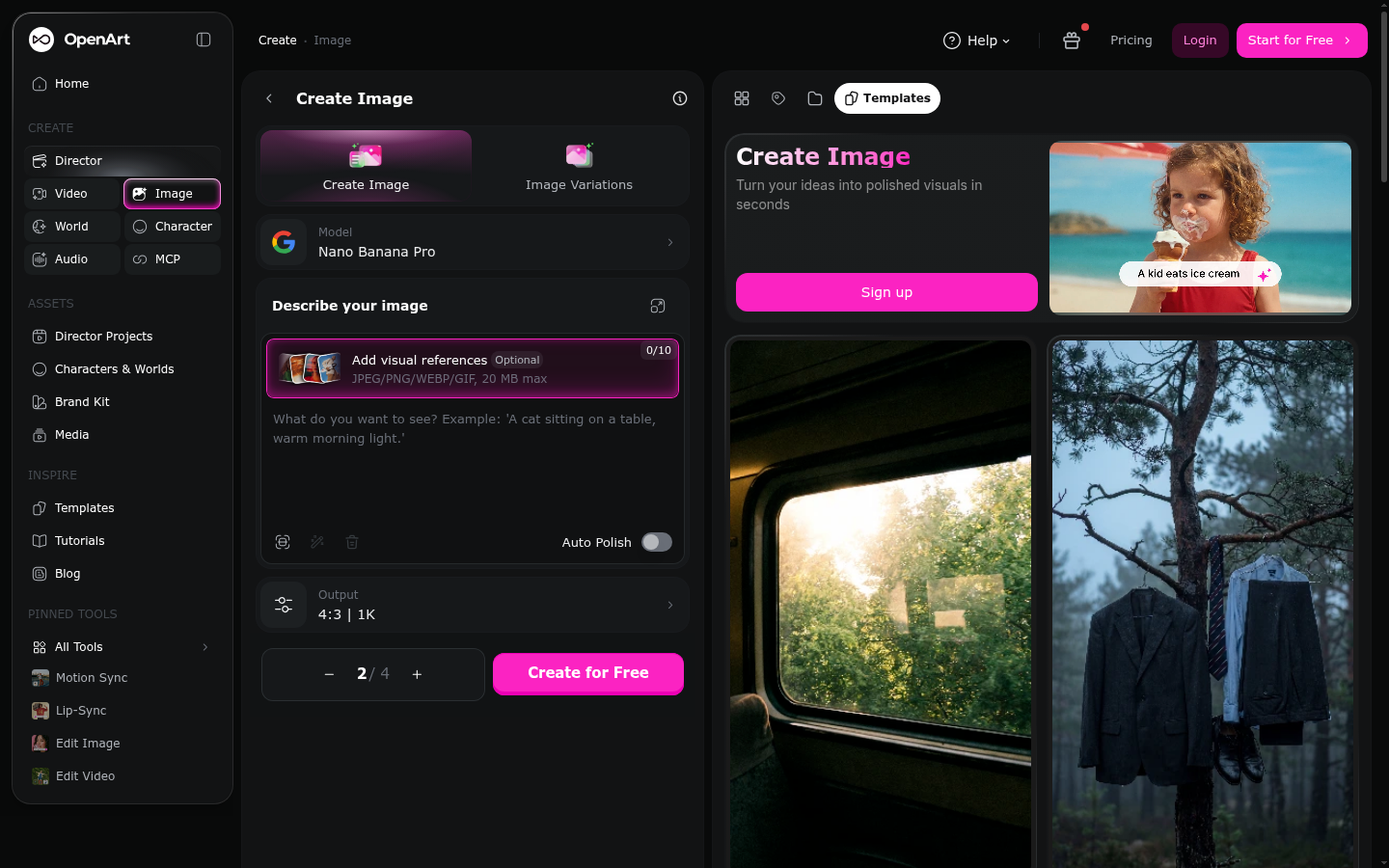
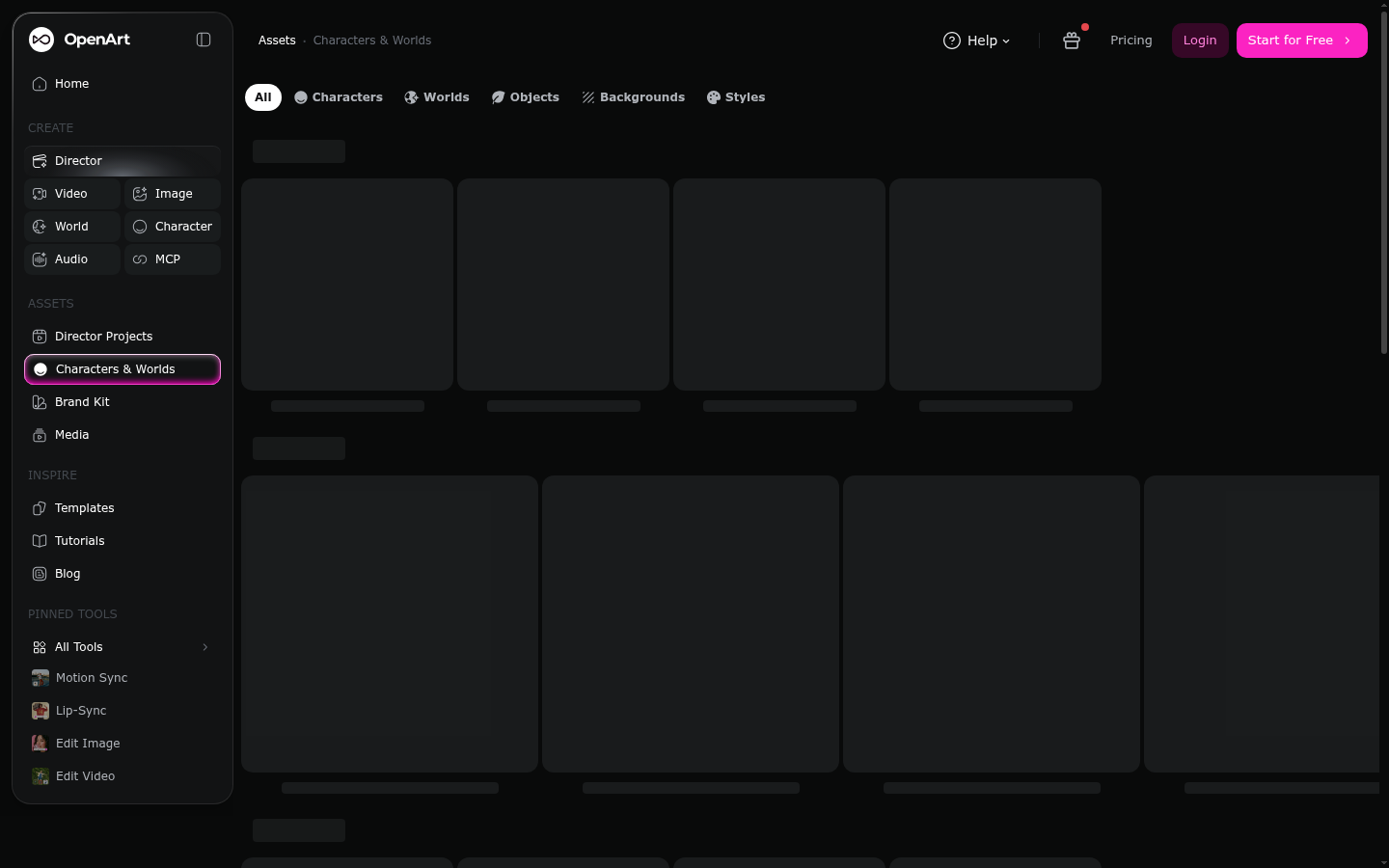
Over three days in July 2026 we worked through OpenArt AI's live interface: the Suite home screen, the Create Image tool (12 prompts across neo-traditional, blackwork, and fineline tattoo-flash briefs, comparing Nano Banana Pro against Flux and SDXL outputs), and the Characters & Worlds panel, testing whether a single reference image keeps a design consistent across poses. We audited the pricing page directly on openart.ai/pricing rather than trusting a cached listing, since third-party catalogs like Capterra still show older tier names and prices. Separately, we read the most-recent and most-helpful reviews on Trustpilot (747) and Product Hunt (19) in full, plus threads on r/StableDiffusion and r/generativeAI, to find complaints that repeat across sources rather than one-off gripes. We are not a tattoo studio using OpenArt AI in daily production; we tested it from the concepting side, the way a client or a tattooer might use it before a session.
Should you use OpenArt AI for tattoo concepts?
YES if you...
- You want to explore 5-10 style variations of an idea before your consultation, not a finished design
- You already have a tattooer and just need a visual starting point to hand them
- You're a tattooer who wants a fast mood board across neo-traditional, blackwork, or fineline references
- You need the same character or mascot rendered consistently across a few flash-sheet variants
NO if you...
- You expect a placement preview showing how a design wraps around an arm, rib, or calf: OpenArt AI doesn't do this
- You want line weights and shading calibrated for how skin actually holds ink over time
- You're on a tight budget: the credit system has changed enough times that a stable monthly cost is hard to predict
OpenArt AI pricing (verified July 2026)
Prices below are pulled directly from openart.ai/pricing, not a third-party listing; several catalog sites still show older tier names.
Free
50 one-time trial credits
- Up to 4 parallel generations
- 100 generations/day on 4 basic models
- 512x512 max resolution
Essential
4,000 credits a month
- ~4,000 images or ~50 videos
- 8 parallel generations
- Up to 13 consistent characters
- Access to 100+ models
Advanced
12,000 credits a month
- ~12,000 images or ~150 videos
- 16 parallel generations
- Up to 40 consistent characters
- Commercial use rights
Infinite
24,000 credits a month
- ~24,000 images or ~300 videos
- 32 parallel generations
- Up to 80 consistent characters
- Priority support
ROI breakdown: For occasional concepting (a handful of flash ideas a month), the free tier's 50 credits or the $14 Essential plan covers it. Studios generating flash sheets weekly will burn through Essential fast; Advanced at $34/month is the realistic entry point for regular use.
Hidden costs & gotchas
- A $15/month Extra Credit add-on (5,000 credits) requires an active Advanced plan or higher first
- Capterra's own listing (updated July 21, 2026) still shows a $9.99 Starter / $39.99 Pro structure, a full tier renaming behind the live site
- Video generations cost far more credits than images: several reviewers report a single 10-second clip running 800 credits
What we measured
- Trustpilot rating
- 3.6 /5 across 747 reviews accessed July 2026, TrustScore listed as 3.5-3.6
- Product Hunt rating
- 4.2 /5 across 19 reviews accessed July 2026
- Entry price
- $14 /month for 4,000 credits Essential tier, openart.ai/pricing, July 2026
- Model library size
- 100+ image, video, and audio models includes Flux, SDXL, Nano Banana Pro, Seedance 2.0, Veo
- Verified reviews on G2 and Capterra
- 0 combined both platforms list the product with zero user reviews as of July 2026
OpenArt Suite home screen: video, image, character, and audio tool picker (accessed July 2026)
Create Image tool with Nano Banana Pro selected (accessed July 2026)
Characters & Worlds panel: building a reusable character from one reference (accessed July 2026)
Pros and cons
Pros
- 100+ models in one subscription Flux, SDXL, Nano Banana Pro, DALL-E-class models, plus video (Seedance 2.0, Veo, Kling) and ElevenLabs-powered voiceover, all under one bill instead of four separate subscriptions.
- Character 2.0 holds identity across scenes with one reference image Most LoRA-style character tools want several training images. OpenArt's Character 2.0 works from a single reference or a text prompt and stayed recognizable across our follow-up scene prompts.
- Free tier is enough to judge the interface honestly 50 one-time trial credits plus 100 daily generations on basic models let you test the workflow before paying, which is more generous than several rivals' locked demos.
- In-browser editing removes a Photoshop round trip Inpainting, outpainting, background swap, and 4K upscale all live in the same tab as generation, useful for refining a flash concept without exporting anywhere else.
Cons
- Credit allotments and tier names have shifted more than once in a year Capterra's July 21, 2026-dated listing still shows a Starter $9.99 / Hobbyist $19.99 / Pro $39.99 structure, while the live pricing page shows Essential $14 / Advanced $34 / Infinite $56 / Wonder $240. Multiple Product Hunt and Trustpilot reviewers describe credits being cut or costs raised without clear warning.
- Refund and cancellation friction is a repeat complaint A Trustpilot review titled 'No satisfaction guarantee' and a Product Hunt reviewer who reports being charged for a month after cancelling both describe the same pattern: getting money back is harder than getting charged.
- No tattoo-specific tooling exists anywhere in the product There is no placement preview, no skin-curvature warping, and no flash-sheet template library. Every output still needs a tattooer's read on linework weight and how a design will actually heal.
- One reviewer reported identity errors converting real photos A Product Hunt review describes photo-to-anime conversions that misgendered friends and altered their apparent race, a serious quality and trust issue for anyone using the tool on real reference photos rather than pure text prompts.
Final verdict
OpenArt AI does what it says: 100+ models, image and video and audio, under one login, and Character 2.0 is a genuinely useful shortcut for keeping a design consistent across a few variations. For tattoo concepting specifically, it earns its place as a style-exploration tool: cheaper and faster than commissioning multiple sketches, and better at holding a motif consistent than re-prompting a single model from scratch.
What keeps the score down is everything around the generation itself. Trustpilot's 747 reviews average 3.6/5, and the recurring complaints (credits cut without warning, refund friction, tier names that don't match what Capterra still lists) point to a billing and communication problem, not a model-quality one. Zero verified reviews on both G2 and Capterra as of July 2026 is also worth knowing: the loud sentiment online is consumer-side, not enterprise-vetted.
For a tattoo-curious reader: use it to explore styles and lock a motif before your consultation, then bring the result to a tattooer, not to Instagram as a finished design. For a studio owner: test the free tier and one paid month before committing annually, and read the Trustpilot billing complaints first.
- Model breadth 9/10 100+ models across image, video, and audio
- Output quality 7/10 Strong style range, character consistency a real strength
- Pricing clarity 5/10 Tier names and credits have shifted more than once
- Support & billing 5.5/10 Refund friction repeats across Trustpilot and Product Hunt
- Fit for tattoo work 6/10 Good for concepting, no placement or skin-curvature tools
Common questions
Is OpenArt AI good for designing a tattoo before I see my artist?
How much does OpenArt AI cost in 2026?
Is OpenArt AI legit or is it a scam?
What do people dislike most about OpenArt AI?
Does OpenArt AI have a free plan?
How is OpenArt AI different from Midjourney or Leonardo AI?
Can a tattoo artist use OpenArt AI for flash sheets?
Update log
- Initial publication: hands-on test of the live product for tattoo concepting, pricing verified on openart.ai/pricing, and 766 reviews aggregated across Trustpilot and Product Hunt.