AI Art Styles for Tattoos: What Actually Holds Up on Skin
Summary
AI art styles like neo-traditional, blackwork, fineline, and watercolor render beautifully on screen, but skin follows different rules than a JPEG. This guide breaks down which AI art styles actually survive healing, skin curvature, and years of wear, which generator handles each style best, and where AI-generated references still need a trained tattooist to finish the job before anything touches your skin.
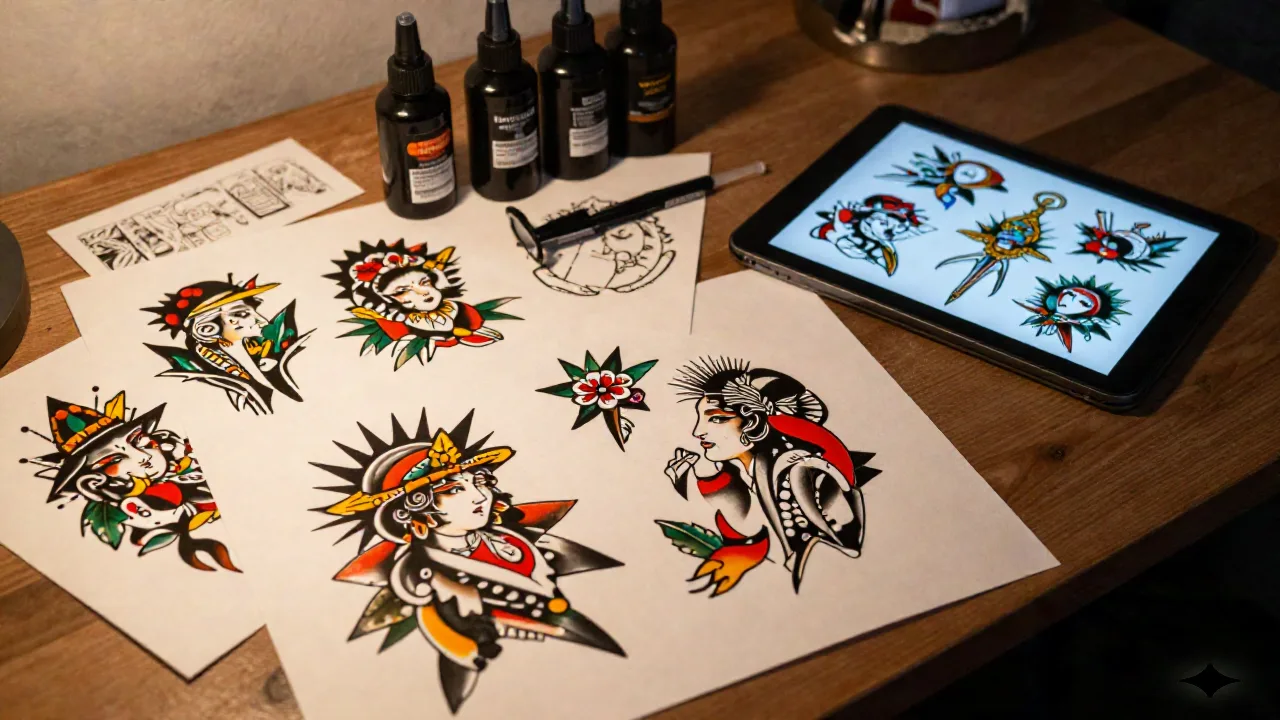
If you've typed "AI art styles" into a search bar while planning a tattoo, you've probably hit a wall of generic lists: photorealism, anime, oil painting, watercolor, line art. Useful for a poster. Not built for skin. The real question isn't which AI art styles exist, it's which ones survive being tattooed, healed, and looked at in ten years. Some do. Some look incredible on a screen and fall apart the moment a needle gets involved.
We generate flash and try-ons for a living, so we've run this test more times than we can count. Here's what actually holds up, style by style, and which generator to reach for when you know what you want.
What "AI art style" means once you're staring at your own arm
Most AI art style guides are built for illustrators and marketers, not tattoo clients. One widely used breakdown of AI art styles sorts everything into five buckets: medium (watercolor, charcoal, oil), material (porcelain, crystal, candy), photography style (bokeh, silhouette), lighting (golden hour, neon, volumetric), and color palette. That taxonomy works fine for a print or a social thumbnail. It says nothing about how ink sits under skin, how a gradient blurs over five years, or how a design wraps around a curved forearm instead of a flat rectangle.
That last part matters more than people think. Every AI generator composes on a flat canvas by default. A design that reads as balanced and centered on a square image can look completely lopsided once it's mapped onto a shoulder, a ribcage, or the inside of a bicep, because those surfaces curve in directions a screen never does. This is the gap this guide fills: not "what looks cool as a JPEG," but "what a tattooist can actually work from once it leaves the screen and has to sit on a body."
Neo-traditional: the AI nails the bold lines, fumbles the palette restraint
Neo-traditional is where most general-purpose AI generators perform best, and it's not close. Bold black outlines, a limited but rich color palette, illustrative depth borrowed from old-school American traditional. Generators are trained on thousands of these designs, so the structure comes out clean on the first or second try.
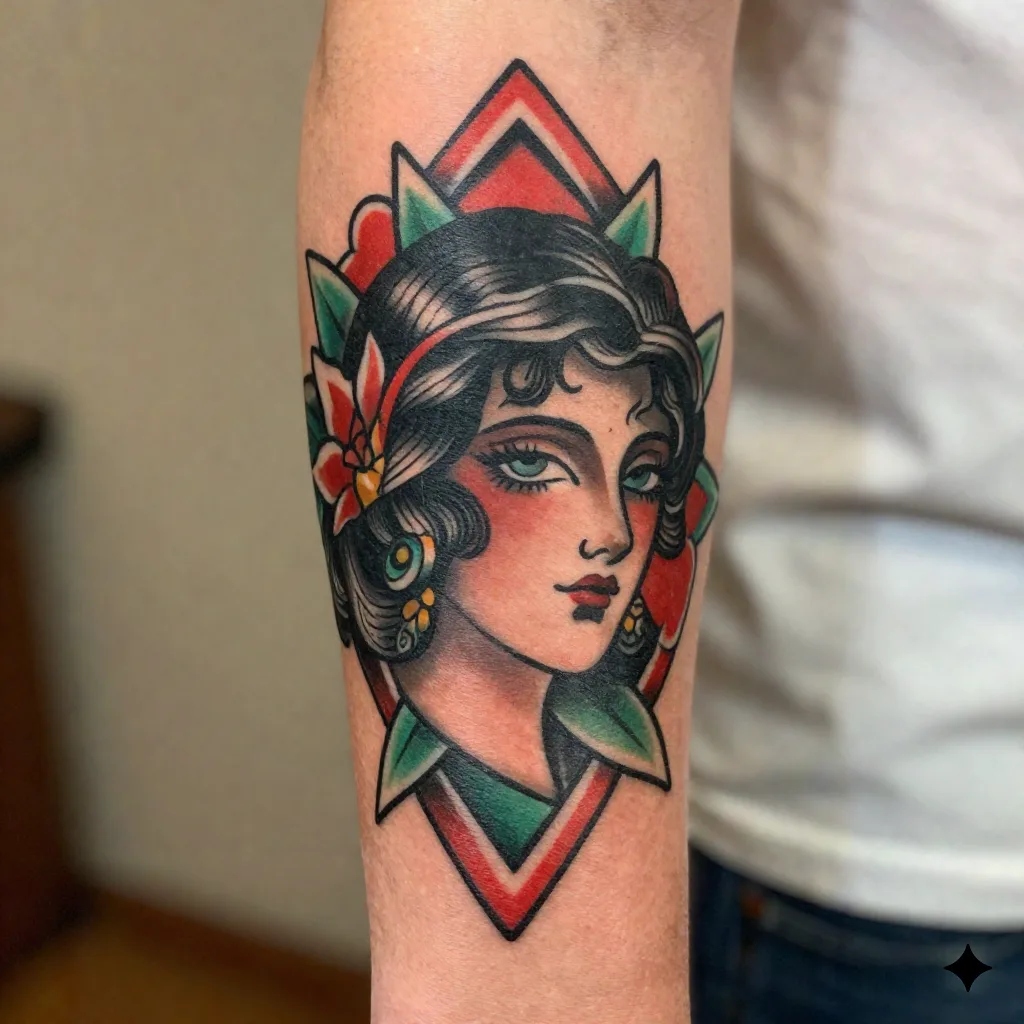
That's where it breaks down, though: restraint. A real neo-trad flash artist knows when to stop adding color fields, because every extra saturated patch is more ink that has to heal evenly and age without muddying. AI doesn't know when to stop. Left alone, it stacks color the way a poster designer would, not the way a tattooist who's watched pieces heal for a decade would. Ask for fewer colors than the AI suggests. Your artist will thank you.
There's also a curvature problem specific to this style. Neo-traditional pieces often lean on symmetrical framing, a portrait flanked by matching floral panels, for instance, and that symmetry only holds up on a flat torso or a thigh. Wrap the same composition around a calf or a forearm and one side compresses while the other stretches. If your generated reference is for a limb rather than a back or chest piece, ask your artist to redraw the composition around the limb's actual curve before you commit to it.
Blackwork and dotwork: where generation genuinely saves a session
This is the style family where AI-assisted design earns its keep. Blackwork and dotwork are built on negative space, repetition, and geometric precision, exactly the kind of structured pattern a generator handles well when you prompt with terms like "sacred geometry," "mandala," or "linear dotwork." You can iterate through a dozen layout variations in the time it takes to sketch one by hand.
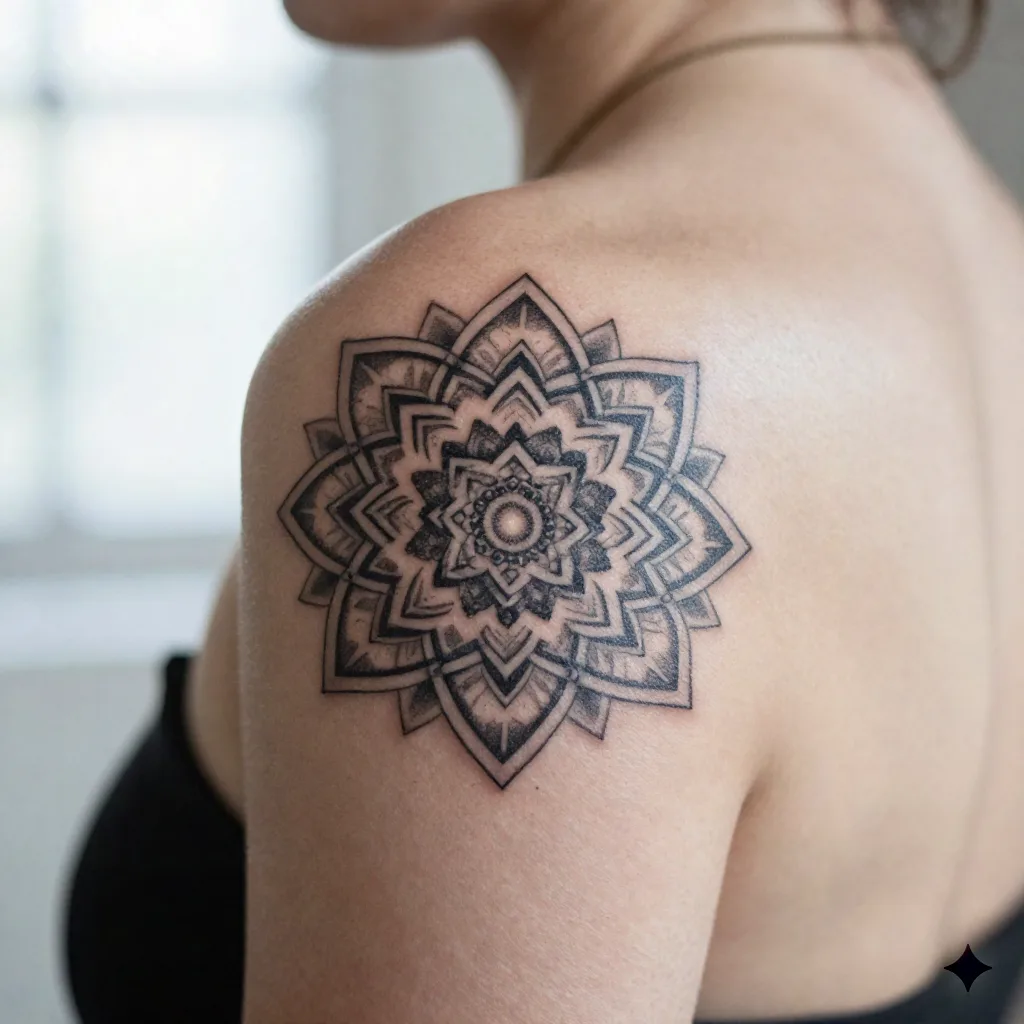
Concretely, here's what changes: dotwork pieces rely on dot density to create shading, and that density has to survive skin stretch and healing. A generator can show you the composition and the density gradient at a glance, which saves your artist real time in consultation. It still can't tell you whether that density will blow out on thin skin like the inner forearm. That's a conversation for the chair, not the prompt box.
Blackwork also happens to be the most forgiving style when a design has to wrap around a joint or a curve, since solid black fields and repeating geometric units can be re-tiled to fit a limb without breaking the composition the way a detailed illustrative scene would. If you're set on placing a design somewhere with real curvature, an elbow, a hand, the side of a ribcage, blackwork and dotwork are the styles most likely to survive the translation intact.
Fineline and single-needle: gorgeous on a phone screen, gone in five years
Fineline is the style AI struggles with most honestly, and almost nobody says so out loud. Ultra-thin single-needle work looks stunning as a crisp digital render: hairline botanical linework, tiny lettering, delicate filigree. The problem is that fine lines spread under skin over time, a phenomenon tattooists call ink migration. What reads as a razor-sharp line in a generated image will not look like that in three to five years.
Skip the temptation to treat an AI-generated fineline render as a literal blueprint. Use it to communicate the concept (placement, general shape, density of detail), then let your artist adjust line weight for longevity. A generator optimizes for how the image looks today. Skin optimizes for how it looks in a decade, and those two goals don't always agree.
Watercolor: the style AI oversells hardest
Watercolor tattoos are the single most seductive AI art style category and the one we'd push back on the most. Splattered color, soft bleeding edges, no hard outlines: it photographs beautifully as a generated concept image because there's no ink-under-skin physics involved yet.
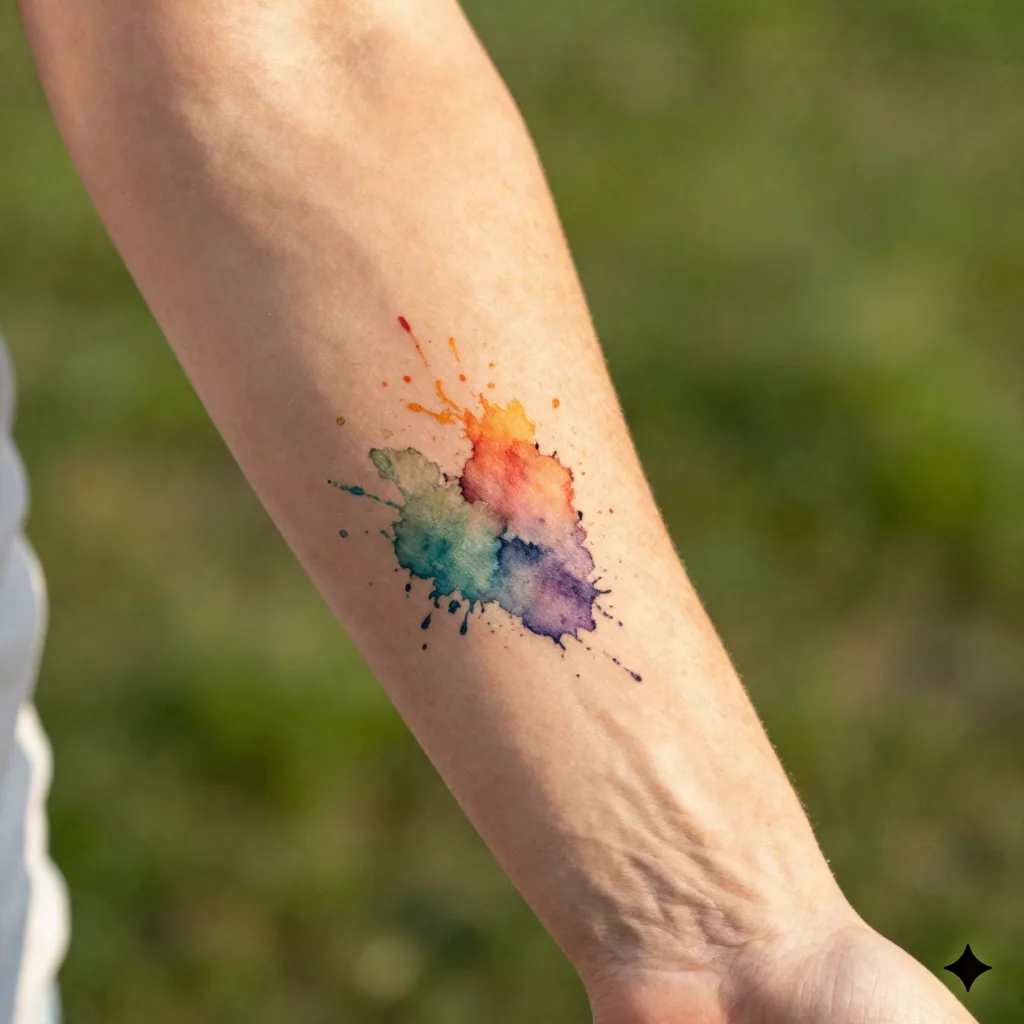
In reality, watercolor tattoos without outline structure fade unevenly and can look like a healing bruise within a couple of years, something most reputable tattooists will tell you upfront. If a design comes back from a generator with soft, borderless color bleeds and nothing but color to define the shape, treat it as a mood reference, not a final. Worth the splurge if you go in knowing it needs touch-ups. Skip it if you were hoping for something permanent and low-maintenance.
Ask any tattooist who's specialized in the style for a few years and most will hybridize it: a thin structural outline hidden under the color bleed, invisible in good light but there as an anchor once the ink settles. That hybrid version rarely shows up in an AI render, because the generator has no reason to hide a line it thinks looks better exposed. If you love the watercolor look, bring that specific request, "structured watercolor with a hidden line," into the consultation rather than the pure borderless version the AI hands you by default.
Japanese and Irezumi: cultural weight the generator can't shortcut
Traditional Japanese tattooing, Irezumi, carries real history: motifs like koi, dragons, and waves come from a visual language centuries old, tied to Edo-period firefighters, later stigmatized through association with organized crime, and still restricted in many Japanese public baths and gyms today. None of that context lives inside a prompt.
Some generators genuinely understand the visual grammar, the specific curl of a wave, the traditional layout of a dragon's scales, better than others. That's a rendering skill, not cultural fluency. If you're considering Irezumi-style work, read into what the motifs actually represent before you commit, and talk to an artist who has trained specifically in the style. You need a human with a needle, and ideally one with real Irezumi training, to finish the job.
Traditional Irezumi is also usually planned as one continuous piece, a full sleeve or back panel where every motif flows into the next across the body's actual contours, not as isolated images stitched together after the fact. An AI generator, by default, gives you one flat scene at a time. Treat each generated panel as a single reference among several, and have your artist map how they'll connect across your specific proportions before any of them go under the needle.
Which generator to actually reach for
No single tool wins across every style family, and that's worth saying plainly instead of pretending one app does it all. A recent head-to-head comparison of AI tattoo generators scored specialized tattoo tools ahead of general-purpose generators specifically on stencil-readiness, while general tools still won on artistic depth and texture. That split matches what we see too.
Best for texture and complex artistic depth: metallic sheen, fur, lighting that reads as painterly rather than flat. Worth it if you're chasing something highly stylized and don't mind a manual step to convert the output into a clean stencil.
Best for stencil-ready linework straight out of the generator, particularly with community models fine-tuned on flash sheets. If your priority is walking into a consultation with something your artist can trace from directly, start here.
Best when your design needs actual readable text or lettering placement, since that's the one area general-purpose generators consistently botch. Style range outside of typography is narrower, so don't expect it to carry an entire moodboard.
Best if you want to test the same prompt across dozens of fine-tuned models in one place before settling on a direction. Useful for the "I don't know what I want yet" phase, less useful once you've locked a style.
Dedicated tattoo-only tools like InkHunter, BlackInk, and Tattoos.ai sit in a different category entirely: narrower style range, but tighter accuracy on the styles they specialize in, and some auto-generate a stencil-ready file. If you already know you want dotwork or Irezumi specifically, a specialist tool can get you there faster than a general-purpose one. Where a tool built specifically for tattoos, like inke, tends to pull ahead is the last step: taking whatever style reference you land on and showing it directly on a photo of your own body, at the actual scale and curve of the placement you're considering, instead of leaving you to imagine the jump from flat render to skin.
What we'd actually generate before a consultation
If your tattooist can't show you healed examples of a style close to what you're asking for, find another one, no matter how good the AI render looked in the group chat. A generated image is a conversation starter, not a contract with your skin.
We'd reach for neo-traditional or blackwork prompts first, since those translate most reliably from screen to skin. We'd treat fineline and watercolor renders as concept sketches only, and budget mentally for touch-ups if we went ahead anyway. And for anything culturally rooted, we'd spend more time reading than prompting.
Practically, that means walking into a first consultation with two or three generated variations rather than one perfect image you're attached to. Show the range, explain what drew you to each, and let your artist tell you which elements survive the jump to skin and which need reworking. Artists read this kind of moodboard constantly now, and most would rather see three honest references than one over-polished render you expect them to copy exactly.
The AI gets you most of the way to a shared vocabulary with your artist: the shapes, the palette, the general feel. The last stretch, the part that actually survives healing, curvature, and a decade of sun exposure, still needs a professional with a needle and years of watching skin do what it does.